Symphony Orchestra Simulator Official Links & Wiki Map
Roblox, creator credits, Discord guidance, and shortcuts to every hub.
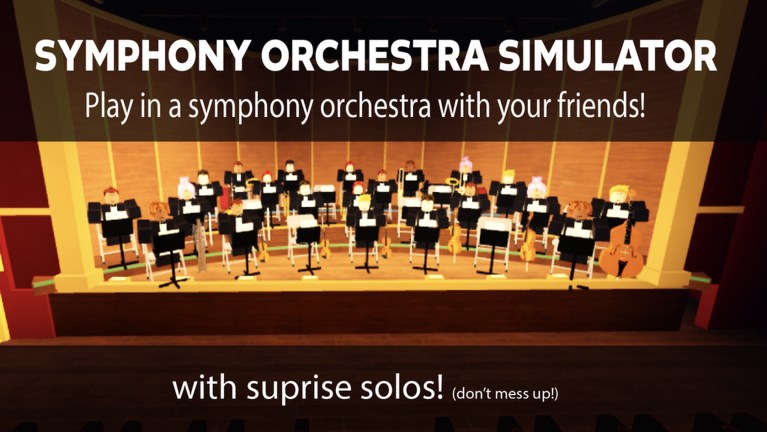
This Official Links Hub is the switchboard for Symphony Orchestra Simulator players who need trusted destinations—not random chat pastes. Use it to open the real Roblox experience, credit creator merpug01, navigate every wiki hub, and handle Discord callouts safely.
Primary official destinations
- Play the game: Symphony Orchestra Simulator on Roblox
- Creator: merpug01 (follow creator-facing links from the Roblox game page and in-experience prompts)
- This wiki domain: symphonyorchestrasimulator.wiki (unofficial fan resource)
Always prefer the Roblox URL above when sharing the game with friends. Mirror links in party chat beat vague “search the name” instructions that land people in copycat experiences.
Discord without invented invites
The experience encourages players to JOIN THE NEW DISCORD. This page will not fabricate an invite code or third-party URL. Safe workflow:
- Look for Discord buttons or text prompts inside the live Roblox experience.
- Check social links and description fields on the official game page.
- Treat unverified invites in public chat as untrusted until they match first-party surfaces.
- Read community norms on the Players Hub before mass-pinging strangers.
When a stable public invite is verifiably posted by the creator, editors can add it here. Until then, first-party prompts win.
Wiki hub directory
Play & progress
- Guides Hub — walkthrough index
- Getting Started — first session
- How to Solo — spotlights & concertos
- Request a Concerto — five center-stage solos
- Audience Mode — theatre seats, roses, tomatoes
- Solo Entrances — confetti, fireworks, lightning
- Earn Coins — funding entrances
- Controls — movement, seats, voting UI, audience actions
- Songs and Voting — repertoire & strategy
Meta & planning
- Codes — promo tracker (no codes verified at last check)
- Tier List — instrument preference rankings
- Tools Hub — planners
- Seat Planner — seat & session checklist
- Players Hub — etiquette & friend-finding
- Updates Hub — patch index
- November 2026 Notes — mid-season status
- October Launch — 2026-10-21 baseline
Safety-adjacent
- Scripts Hub — only with account-risk warnings if you discuss utilities
Quick facts for link-outs and credits
- Title: Symphony Orchestra Simulator
- Platform: Roblox
- Creator: merpug01
- Released: 21 October 2026
- Loop: 16 instruments, keep seats song after song, song voting, solo spotlights, audience roses/tomatoes, concerto of five center-stage solos, coin entrances, max 35 players
- Genre: Music & Rhythm / social concert fantasy
These facts align with content/facts.json and the launch note. If a patch changes capacity or systems, update Updates first, then adjust guides.
How to share this wiki helpfully
When someone asks “is there a wiki?” in chat, send:
- The Roblox play link (so they can join).
- Getting Started for onboarding.
- This Official Links page if they want the full map.
Avoid dumping eight URLs at once. New players bounce.
Editorial rules for this hub
- External links must be official or clearly labeled unofficial.
- No fake Discord invites, no phishing lookalikes, no “free coin” sites.
- Internal links use locale-agnostic paths with trailing slashes (
/guides/). - Legal pages (
/terms/,/privacy/,/cookies/) stay English-only elsewhere on the site. - Credits always mention merpug01 when discussing creation.
Relationship to other hubs
Think of this page as the table of contents + credits, Guides as the textbook, Tools as worksheets, Players as house rules, and Updates as the program insert for each patch. Codes and Tier List are specialty boards you pin when the meta or promos move.
Verification habits
Before you trust a new “official” link from social media:
- Does it resolve to roblox.com for the correct experience ID path?
- Does the creator attribution match merpug01?
- Does the feature list still match October Launch or a newer dated note?
- Are codes claimed elsewhere also listed—or explicitly unverified—on Codes?
Skepticism keeps the hall safer than blind forwarding.
Closing
Bookmark this Official Links Hub beside the Roblox play button. When friends ask where to start, where to read patch notes, or how to find Discord safely, you already have a single honest answer. Open the game, credit merpug01, follow first-party social prompts, and use the wiki hubs above to turn a random public server into a night that feels conducted.
Frequently Asked Questions
Quick answers to the most common questions.
Is this wiki official?
No. It is an unofficial fan resource. Confirm announcements on the Roblox game page and creator channels for merpug01.
Where do I play?
Use the official Roblox listing: https://www.roblox.com/games/120009540834199/Symphony-Orchestra-Simulator
Where is the Discord invite?
Follow the in-game “JOIN THE NEW DISCORD” prompt or first-party links on the Roblox game page. This hub does not invent invite URLs.
Which wiki page should I open first?
New players should start with Getting Started, then return here for the full hub map.