Symphony Orchestra Simulator Seat Planner Checklist
Choose instruments and session goals before the 35-player scramble starts.
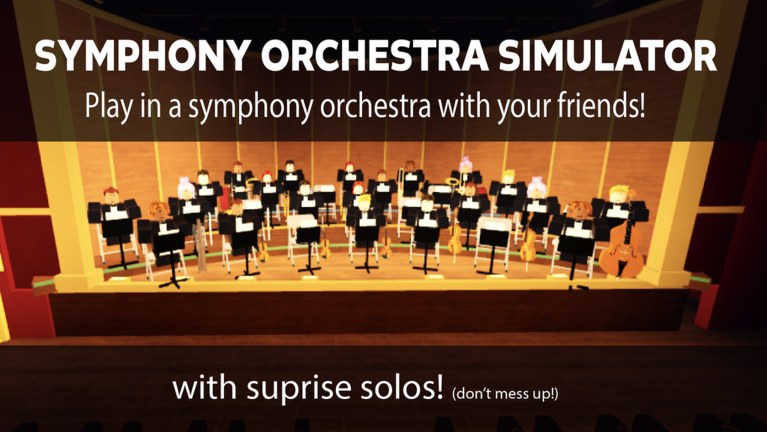
Use this Seat Planner before you join Symphony Orchestra Simulator. It is a practical checklist for picking among 16 instruments (violin, cello, trumpet, flute, harp, timpani, and more), setting backups, and defining whether tonight is calm, dramatic, comic, or concerto-focused. Print it mentally, paste it in party chat, or skim it while the experience loads.
Deep mechanics still live in guides—this page is for decisions.
Step 0 — name tonight’s goal (pick one)
- Calm rehearsal: soft repertoire, polite audience, learn seats.
- Dramatic showcase: Mountain King / Swan Lake energy, lightning entrance if owned.
- Comedy night: Can-Can / Bumblebee, confetti, friend-group tomatoes only.
- Concerto lab: one or two players attempt five center-stage solos with rose support.
- New-player escort: prioritize teaching over perfect sections.
Write the goal in chat so the party stops arguing mid-vote. Details on repertoire: Songs and Voting. Etiquette: Players.
Step 1 — primary instrument pick
Choose a first-choice seat that matches the goal:
| Goal | Strong first picks | Why |
|---|---|---|
| Calm | Harp, flute, violin/cello | Blends, lower chaos |
| Dramatic | Timpani, cello, trumpet | Reads clearly in intense pieces |
| Comedy | Bright winds, agile strings | Sells playful spotlights |
| Concerto lab | Whatever you perform confidently | Comfort > theory |
| Teaching | Any open easy-to-find chair | Speed to seated learning |
Cross-check community chatter on the Tier List, but do not skip a fun seat just because a list said so.
Step 2 — backup seats (mandatory on busy servers)
Servers cap near 35 players. List two backups before you spawn:
- Backup A in the same family (e.g., violin → cello).
- Backup B in a different color (e.g., strings → flute/harp or brass).
- Emergency: audience seats with rose duty until something frees.
If your primary is taken, take Backup A within ten seconds—do not hover-grief.
Step 3 — keep-seat rule
Agree: once seated, you keep the seat song after song unless:
- You intentionally rotate for a friend.
- You move audience for a concerto support phase.
- You leave the server.
Constant hopping voids the planner. Controls reminder: Controls.
Step 4 — first three votes
Pre-pick a short ballot so you are not silent when the UI opens:
- Calm: Canon in D → Swan Lake → Ode to Joy.
- Dramatic: Mountain King → Swan Lake → Ode to Joy.
- Comedy: Can-Can → Flight of the Bumblebee → Ode to Joy.
- Mixed: one party pick, then two open democratic votes.
Launch song highlights and strategy notes: Songs and Voting. Patch changes: October Launch and Updates.
Step 5 — solo & entrance plan
Answer before spotlight panic:
- Who attempts the first concerto (five solos center stage)?
- Which entrance is equipped—confetti, fireworks, lightning, or default (Earn Coins)?
- Who sits audience with roses ready?
- What is the tomato policy? (Recommended default: roses for strangers; tomatoes only inside consenting friend jokes.)
If nobody wants center stage, skip concertos and enjoy ensemble play—valid session.
Step 6 — audience phase timing
Block a five-minute audience window if instruments are contested or someone needs a break. Audience is a feature: cheer, throw roses, learn pacing. Return to Step 1 backups afterward.
Step 7 — friend & Discord hygiene
- Join from the official Roblox page together when you can.
- Use in-game JOIN THE NEW DISCORD prompts or first-party social links only—do not paste unverified invites (Players, Official Links).
- Share this planner link instead of rewriting rules every night.
Full printable checklist
- Goal named (calm / dramatic / comedy / concerto / teaching)
- Primary instrument chosen
- Backup A chosen
- Backup B chosen
- Audience fallback accepted
- Keep-seat rule agreed
- First vote targets listed
- Concerto runner designated or explicitly skipped
- Entrance equipped or intentionally default
- Rose squad assigned
- Tomato policy stated
- New players pointed to Getting Started
- Codes not blocking fun (still unverified—Codes)
- Post-session note: what to change next time
Example plans you can copy
Duo calm night
Goal calm. P1 harp, P2 flute; backups violin/cello. Votes Canon → Swan Lake. No concerto. Audience roses if a stranger solos. Coins: ignore unless a cheap confetti unlock is sitting there.
Quad concerto night
Goal concerto lab. One runner on their best instrument; two audience roses; one floater filling section holes. Entrance: fireworks if owned. First vote Ode to Joy for crowd energy, then runner’s preference. Rotate runner after one full five-solo set.
Public server solo queue
Goal flexible. Primary + two backups only. Take any open seat fast. Vote recognizable pieces. Attempt spotlight composure; save concertos for friend servers if public chat is toxic.
After the session — 60-second retro
Ask:
- Did we keep seats or chaos-hop?
- Did votes match the stated goal?
- Did the concerto feel supported?
- Which backup actually saved us?
- What should Guides reading fix before next time?
Log answers in party chat for continuity.
Related pages
- Tools Hub — parent index.
- Tier List — preference fuel.
- Getting Started — onboarding.
- How to Solo — spotlight execution.
- Earn Coins — entrance funding.
- Controls — sit/vote/audience inputs.
- Players — social rules.
- Updates — when the hall changes.
Run the checklist once and your section will feel rehearsed even on a random public server. Pick a seat on purpose, keep it through the next songs, and let the planner handle the arguments so the music can handle the night.
Frequently Asked Questions
Quick answers to the most common questions.
How many backup seats should I plan?
At least two instrument backups plus audience as emergency. Busy 35-player servers fill popular chairs fast.
Should I always plan a concerto?
No. Explicitly skip concertos on calm or teaching nights. When you do run one, assign rose support first.
Does this replace the tier list?
No. Use the Tier List for preference opinions, then lock decisions with this checklist.
What if my party ignores the plan?
Restate the goal once, fall back to audience roses, and avoid seat wars—see Players etiquette.