Symphony Orchestra Simulator How to Request a Concerto
Walk into center stage for five solos while the whole hall watches—and leave with a clip-worthy run.
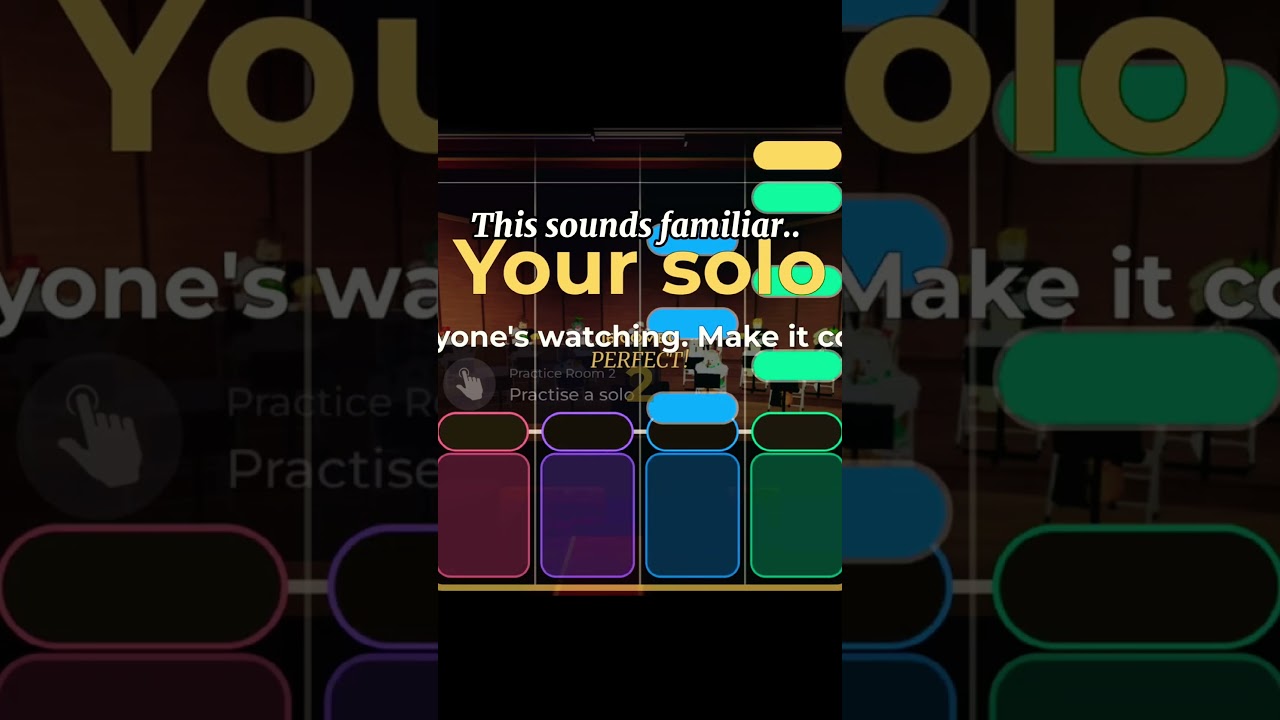
A Request Concerto is the headline spotlight fantasy in Symphony Orchestra Simulator: you walk into the center-stage request, then play five solos while the hall watches. The orchestra flow pauses around your run, the camera treats you like the featured artist, and the crowd can answer with cheers and roses—or boos and tomatoes. This guide covers when to request, how to prepare seats and entrances, what to expect during the five-solo sequence, and how to recover if the room is chaotic.
New to the hall? Finish Getting Started first. For single spotlight timing (not the full five-pack), read How to Solo. For the currency that funds flashy arrivals, open Earn Coins and Solo Entrances.
What a concerto is (and is not)
| Feature | Typical solo spotlight | Request Concerto |
|---|---|---|
| Length | One featured moment | Five solos in a run |
| Position | Can land while you are seated | Center-stage request fantasy |
| Audience | Hall reacts | Whole hall is watching on purpose |
| Prep | Light | Entrances, song mood, friends help |
A concerto is not a secret admin command and it is not unlocked by third-party scripts. It is an in-experience request at center stage. Treat executor “command menus” as unrelated risk tools—see the Scripts Hub if you need that distinction.
Before you request
- Confirm you are on the official place — Symphony Orchestra Simulator by merpug01 (root place id 120009540834199).
- Warm up on normal spotlights so camera swoops and crowd tools do not surprise you (How to Solo).
- Equip a solo entrance you like — confetti, fireworks, or lightning — once you can afford it (Solo Entrances).
- Read the room — a mid-song panic request in a learning server feels worse than waiting for a calm lobby beat.
- Tell friends if you want roses instead of tomatoes. Audience support tips live on Audience Mode and Players.
Servers hold up to 35 players. Peak hours are louder, funnier, and meaner. Pick the energy you want.
Step-by-step: requesting at center stage
Exact button labels can shift with patches; trust the live UI and re-check Controls after updates.
1. Reach a stable hall state
Join, finish loading, and wait until instrument seats, vote panels, and audience areas are interactable. If a piece is mid-climax, wait for a breath between songs so your request is readable.
2. Move to the center-stage request area
Walk into the spotlight / concerto request zone at center stage. Look for prompts that mention Request, Concerto, or similar. If nothing appears, you may be blocked by another player’s run, a loading hitch, or a temporary UI hide—reposition once, then try again.
3. Confirm the request
Accept the prompt. The hall should shift into the concerto fantasy: you become the featured performer for a sequence of five solos while others watch.
4. Play all five with intent
Treat each solo as a short movement:
- Entrance flair on the first if equipped.
- Clear posture and timing on the middle three.
- A clean finish on the fifth so the clip ends on purpose.
Do not AFK mid-concerto. Empty solos invite tomatoes and waste the request.
5. Exit gracefully
When the run ends, return to an instrument seat or audience chair. Thank helpers in chat briefly. Check coin and entrance state if you planned a purchase after the set (Earn Coins).
Song mood and concerto timing
Concertos feel better when the hall’s recent votes match your vibe. Staples include Ode to Joy, Can-Can, Canon in D, Swan Lake, In the Hall of the Mountain King, and Flight of the Bumblebee. Strategy notes live on Songs and Voting. You cannot always control the playlist, but you can wait one vote cycle before requesting if the room just locked a meme energy you hate—or lean into it for comedy.
Crowd management without rage quitting
- Roses and cheers — success signal; keep performing.
- Tomatoes and boos — theatrical heckling is part of the fantasy. Finish the phrase unless the run is truly broken.
- Chat spam — mute individuals if needed; do not abandon five solos over one troll.
- Friend shield — ask party members to sit audience and throw roses (Audience Mode).
Etiquette for groups and grief boundaries: Players Hub.
Troubleshooting failed or missing requests
| Symptom | Likely cause | What to try |
|---|---|---|
| No prompt at center | Wrong spot, UI not loaded, another concerto active | Rejoin once; wait between songs; walk the stage edge slowly |
| Request ignored | Laggy peak server | Private-party retry or off-peak hour |
| Run cuts short | Disconnect / place hop | Stable network; avoid switching experiences mid-set |
| Crowd hostile | Random public lobby | Bring friends; read Players norms |
If a patch changes the request flow, check Updates and the November 2026 note for community-confirmed shifts.
Related paths
- How to Solo — single spotlight fundamentals.
- Solo Entrances — confetti, fireworks, lightning prep.
- Audience Mode — how friends support your five.
- Earn Coins — funding the spectacle.
- Guides Hub — full curriculum.
- Official Links — Roblox page and creator merpug01.
Request when you are ready to be watched. Five solos is a short concert—conduct yourself like you meant to book the hall.
Frequently Asked Questions
Quick answers to the most common questions.
How many solos are in a Request Concerto?
Five center-stage solos while the hall watches. Warm up on normal spotlights first via How to Solo.
Do I need coins to request a concerto?
The request itself is part of the live fantasy loop; coins mainly fund solo entrances that make the run look premium. See Solo Entrances.
Can the crowd ruin my concerto?
They can throw tomatoes and boo, but that is theatrical. Finish the set, bring friends for roses, and review Audience Mode.
Is a concerto the same as a script command?
No. Concertos are in-experience requests. Third-party executors are unrelated and carry ban risk—see Scripts.