Symphony Orchestra Simulator How to Solo & Steal the Spotlight
Handle cheers, roses, boos, and tomatoes—then request a five-solo concerto.
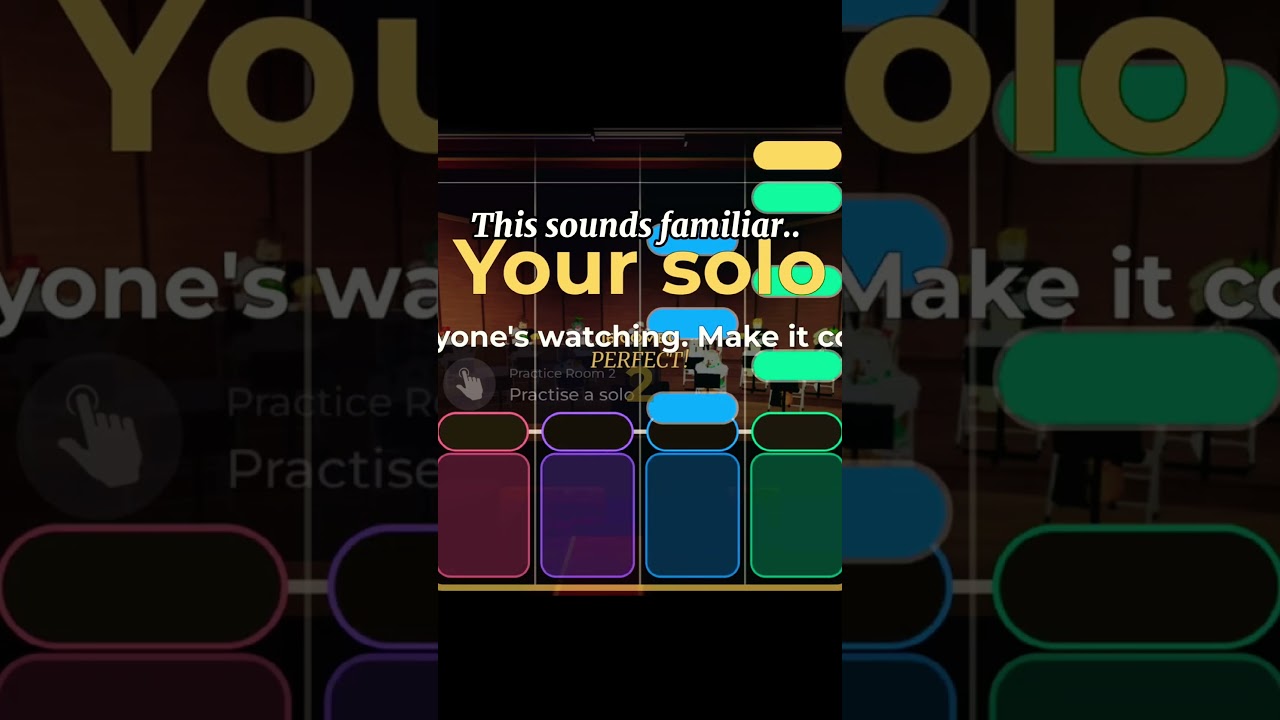
Solos are the dramatic heartbeat of Symphony Orchestra Simulator. Between ordinary ensemble playing, the game can throw a solo spotlight onto a performer while the rest of the orchestra yields the moment. The audience answers with cheers and roses or boos and tomatoes. Separately, ambitious players can chase a concerto request: five solos at center stage while the whole hall watches. This guide explains how to stay composed in a random spotlight, how to think about crowd reactions, how concertos fit the social loop, and how coin-bought entrances (confetti, fireworks, lightning) turn a good solo into a memorable one.
If you are brand new, finish Getting Started first so seat claiming and voting already feel natural. Then return here with a calm head. For a full five-solo walkthrough, open the dedicated Request a Concerto guide; for crowd tools, see Audience Mode; for unlock shopping, see Solo Entrances.
What a solo spotlight feels like
A spotlight is a short performance window, not a separate minigame with hidden HP bars. The camera and social attention shift toward you. That alone changes player behavior: some freeze, some spam jumps, some lean into the bit with confident idle movement. The orchestra fantasy works best when you treat the moment like a real section leader taking a cadenza—steady, readable, and short enough that the ensemble can resume.
Because servers hold up to 35 players, many people will see your spotlight. That is the feature. Play for the room, not for a private practice mute.
Crowds: cheers, roses, boos, tomatoes
Positive reactions (cheers, roses) reinforce the show. Negative reactions (boos, tomatoes) are also part of the comedy kit. Neither outcome permanently bricks your account or deletes your seat. Mentally file tomatoes under “hecklers in a cartoon concert hall,” then finish the phrase.
Tips when the crowd is kind:
- Hold a clear facing toward the audience when you can.
- Avoid racing out of frame the instant roses appear; let the beat land.
- If friends are in audience seats, their cheers help the vibe even when random players are quiet.
Tips when the crowd is spicy:
- Do not chase individual hecklers around the hall mid-solo.
- Do not leave your instrument seat in anger if you still want it for the next song—remember seats are kept song after song when you stay put.
- Reset socially after the spotlight ends; the next vote is a fresh page. See Players for etiquette norms.
Audience members who want to support soloists should read the audience section below and the controls notes in Controls.
Concerto requests: five solos center stage
A concerto request is the structured “main character” path: you take five solos at center stage while the hall focuses on the performance. Think of it as booking a mini recital inside the multiplayer session rather than waiting for a random spotlight to notice you.
Practical concerto advice:
- Pick your moment. Starting a concerto during a chaotic seat shuffle or right as a vote panel opens can confuse the room. Prefer a lull between pieces or a moment when chat agrees it is showtime.
- Warn friends. If your party is split between instruments and audience, give them a second to claim audience seats for maximum roses.
- Pace all five. The fantasy is a set, not five identical panic clips. Vary stillness and motion so the camera story feels intentional.
- Plan an entrance. If you have coins for confetti, fireworks, or lightning, equip the entrance before you request when the UI allows. Details on farming sit in Earn Coins.
- Exit gracefully. After the fifth solo, return to your section seat promptly so the orchestra loop can continue.
Concertos are social content. Record a clip if you want, but keep the live hall playable for everyone else—do not grief other players’ attempts to perform.
Stage presence without inventing fake mechanics
This wiki will not invent secret note highways or undocumented QTEs. Presence in Symphony Orchestra Simulator is mostly about timing, positioning, and reading the room:
- Stay on your claimed instrument identity unless the concerto flow expects center stage.
- Keep movement readable on mobile and desktop; giant camera spins look like lag.
- Match energy to the piece. Songs and Voting lists staples like Ode to Joy, Can-Can, Canon in D, Swan Lake, In the Hall of the Mountain King, and Flight of the Bumblebee—some invite comedy, others invite poise.
- Use audience mode to study strong soloists before you request your own concerto.
If a tutorial prompt or UI label differs after a patch, trust the live game and check Updates.
Entrances: confetti, fireworks, lightning
Coins unlock flashier solo entrances. Confetti reads playful, fireworks read loud celebration, lightning reads dramatic. None of them replace practice, but they telegraph “this spotlight matters” to the crowd. New players should unlock one entrance they like instead of hoarding forever. Veterans can rotate entrances to match song mood—lightning for Mountain King energy, confetti for lighter Can-Can chaos, and so on.
Pair entrance choice with instrument personality from the Tier List and the Seat Planner if you are building a themed session (calm harp night versus timpani thunder night).
Audience play during someone else’s solo
You are part of the instrument of the hall even when you are not spotlighted:
- Sit in audience seats when you want to cheer cleanly.
- Throw roses to support; use tomatoes only as light comedy among consenting friends—not as targeted harassment.
- Keep pathways clear so the soloist can reach center stage for a concerto.
- Avoid blocking cameras with giant avatars if your group is filming.
Good audiences make servers feel alive. That is why the game sells the fantasy of a packed house, not an empty practice room.
Solo checklist before you request a concerto
- You already understand seating and voting from Getting Started.
- Your preferred entrance is unlocked or you accept a basic entrance.
- Friends know whether to sit instruments or audience.
- The current song mood fits the show you want to put on.
- You are ready for mixed reactions—roses and tomatoes both exist.
- You will return to ensemble play afterward instead of AFK center stage.
Troubleshooting awkward spotlights
- I got spotlighted while AFK. It happens. Move slightly to show you are present, finish the moment, then pay attention.
- People booed for no reason. Random comedy and grief overlap in social Roblox spaces. Mute or avoid repeat offenders; do not derail the whole orchestra.
- I cannot find the concerto option. UI labels can shift; recheck prompts after joining a fresh server and skim Controls plus October Launch for baseline feature calls.
- My entrance did not show. Confirm coin unlock and that you equipped it before the solo flow. See Earn Coins.
What to do after you nail a solo
Share the clip with friends, vote the next piece on Songs and Voting logic, and decide whether to keep your instrument through the next songs or rotate. Browse Guides for the rest of the curriculum, and keep Official Links handy for the Roblox page and creator merpug01 channels.
Solos are why people remember a session. Claim the moment, respect the crowd, spend coins on the entrance that matches your vibe, and let the orchestra catch you when the spotlight fades.
Frequently Asked Questions
Quick answers to the most common questions.
What happens during a solo spotlight?
Attention shifts to the soloist while the crowd can cheer and throw roses or boo and throw tomatoes. Stay calm, finish the moment, then resume ensemble play.
What is a concerto request?
A featured performance path with five solos at center stage. Warn friends, equip an entrance if you have one, and return to your seat afterward.
Do I need coins to solo?
Spotlights can happen without fancy entrances. Coins unlock flashier entrances like confetti, fireworks, and lightning—see Earn Coins.
Where can I watch a solo tutorial?
This page embeds a how-to-solo video mid-article. Pair it with Getting Started if you are still learning seats and voting.